HUSTLESHEETS
Sales Tracking Dashboard Template for Google Sheets
2025 Version
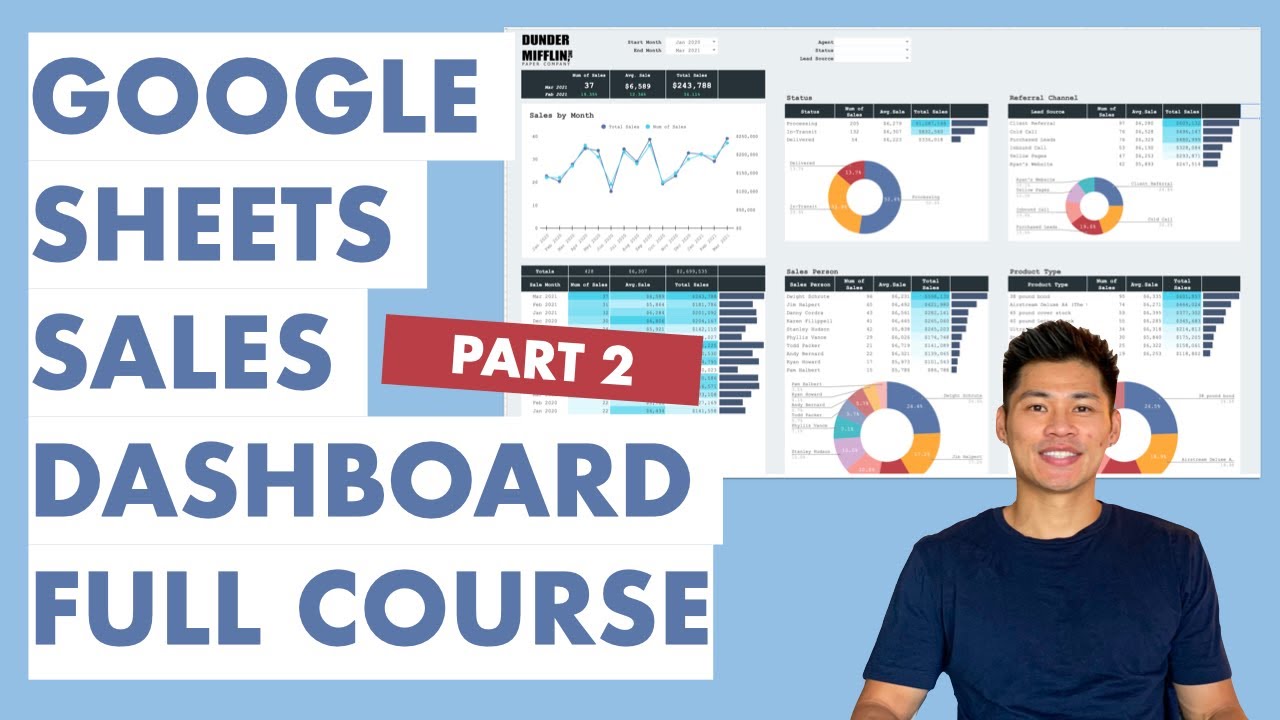
Easily track and visualize sales
Google Sheets compatible (not Excel)
Includes "How To" videos for how to use
As seen in
"How to Build a Professional Dashboard in Google Sheets (Query Formula Advanced Course) Step-by-Step"
80k views, 90+ comments, 1.5k+ likes
Template Features
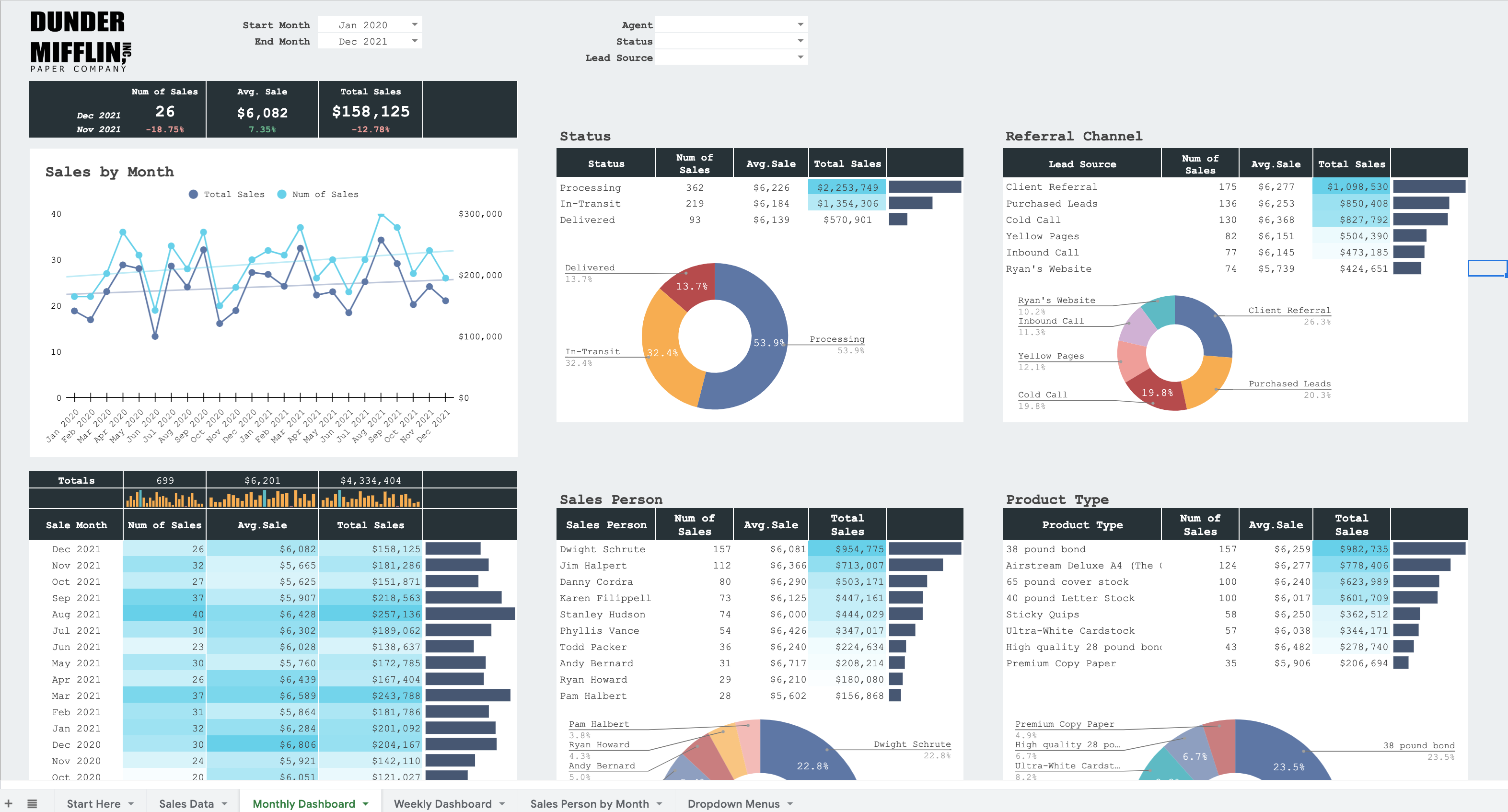
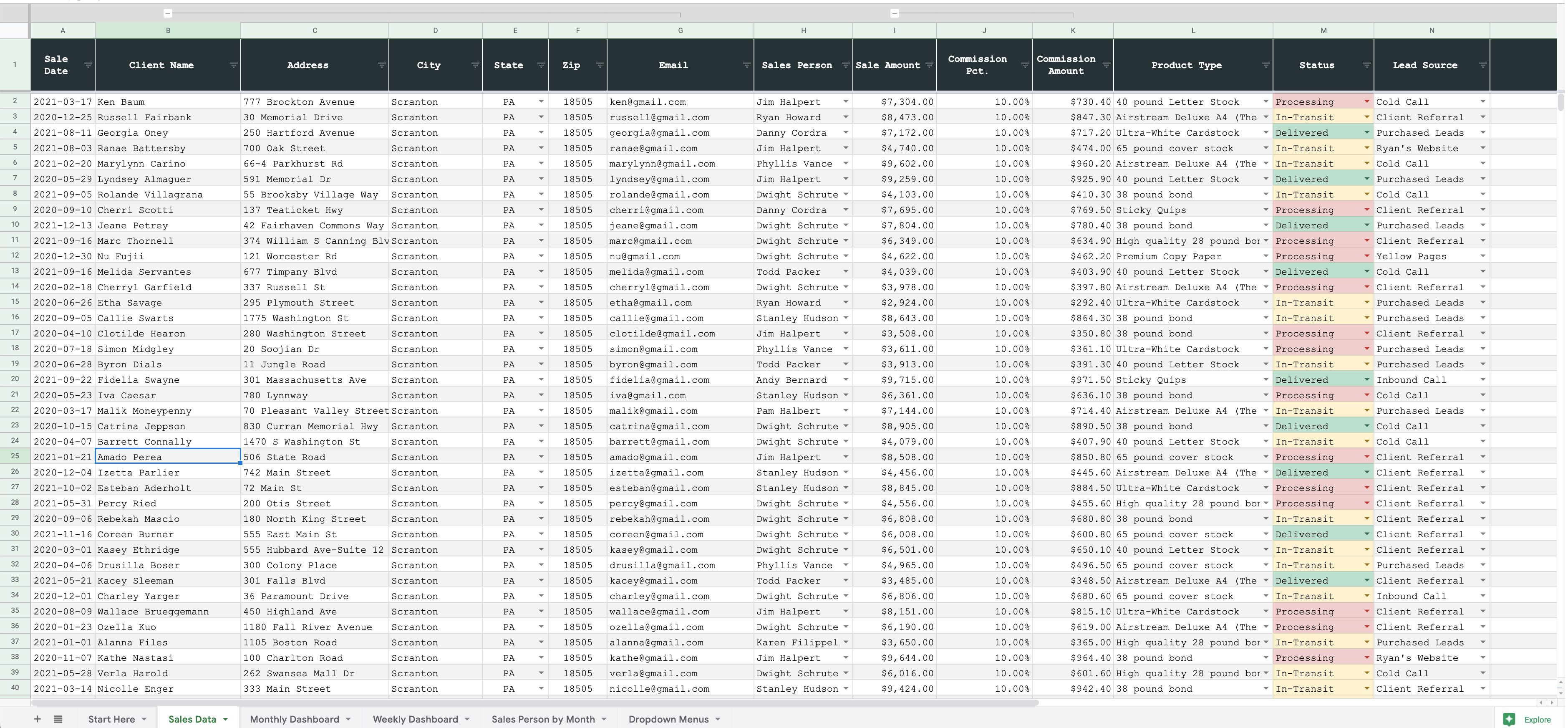
Track Your Sales Trends
Easily view your top sales people, sources, etc
View revenue and # of jobs by Current Status
Daily, Weekly and Monthly trends
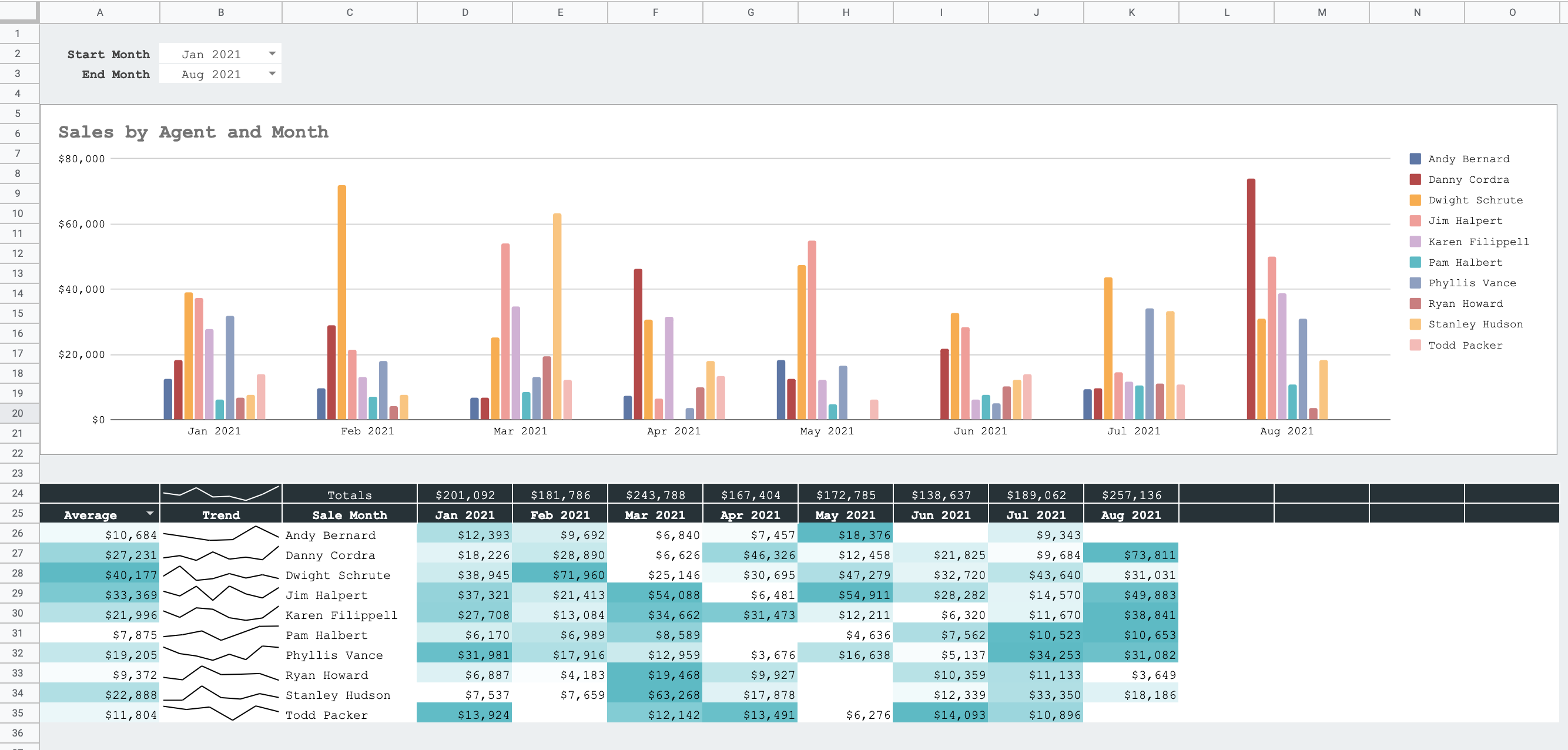
Understand Your Business Metrics
Understanding your data is key to a successful business
Learn to structure your data correctly
Organize your sales into correct catagories for insights
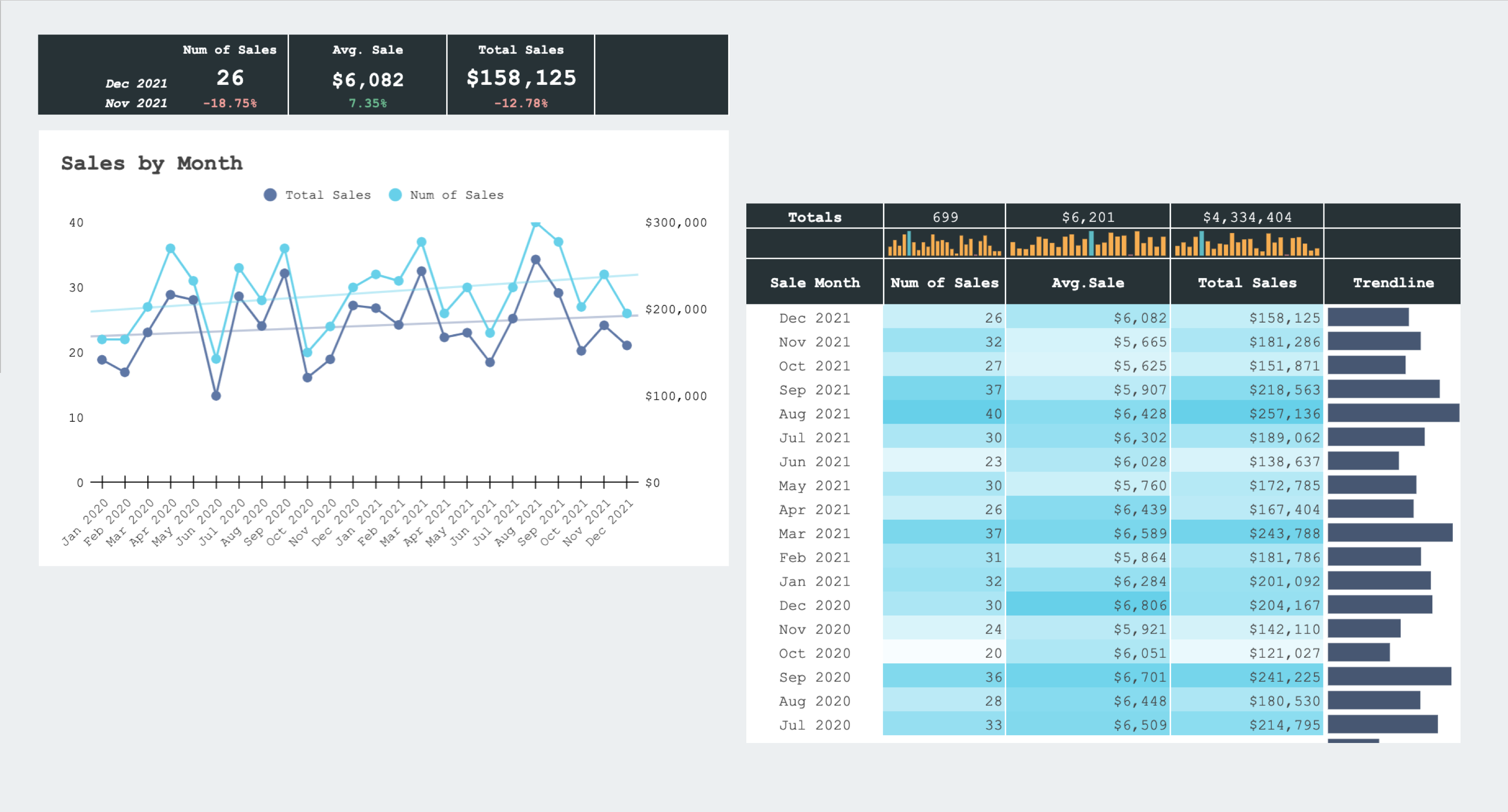
Automated Dashboard
Save hours with an automated dashboard
No more re-creating reports each week/month
Just add your data & the dashboard will update
Tutorial Videos Included
Over 40 minutes of step-by-step videos
Easily customizable to fit your business
Beginner level friendly
Reviews
★★★★★
I purchased the Sales Tracking spreadsheet for our small team of 20 Sales staff and I’m delighted with it!! We can now track our sales staff & management results by date & product - we even use it to track the status of the order up to payment.
Easy to configure with excellent instructions, but Michael has also been very responsive and supportive in helping us customize it exactly to our spec with a few additional tweaks. Great for the price.

Tony
★★★★★
Great video tutorial and having the sheet was a very useful basis for creating my own dashboard. Thank you Michael!
James Sheib
★★★★★
Works great! Very helpful spreadsheet. Thank you
Jessica Chapman
★★★★★
Very helpful worksheet with excellent tutorials!!
Kellie Oliverii
★★★★★
Frequently asked questions
Purchase now for instant access to this amazing Google Sheet template
You will receive a download link immediately after purchase
